

|
|
Scroll lock |
||
|
|
Profile |
||
|
|
Decrease brightness |
||
|
|
Increase brightness |
||
|
|
Stop track |
||
|
|
Previous track |
||
|
|
Play / pause |
||
|
|
Next track |
||
|
|
Volume mute |
||
|
|
Volume down |
||
|
|
Volume up |
||
|
|
Dial mode |
||
|
|
(Enter mode) Enter Actuation Adjustment Mode |
||
|
|
Enter macro recording mode |
||
|
|
Screen action |
||
|
|
Screen left |
||
|
|
Screen right |
||
|
|
Win lock |
||
|
|
(Hold for 5 seconds) Switch to PlayStation mode |
||
|
|
Flash Tap |
||
|
|
Pause |
||
|
|
Home |
||
|
|
End |
||
|
|
PgUp |
||
|
|
PgDn |
||
|
|
Insert |
||
|
|
Copilot key |
||
|
|
(Hold for 2 seconds) Enter Manual Actuation Calibration mode |
Advertisement
|
|
Current HW profile lighting |
||
|
|
Horizon |
||
|
|
Watercolor |
||
|
|
Spiral Rainbow |
||
|
|
Rainbow Wave |
||
|
|
Type Lighting Key (random color) |
||
|
|
Type Lighting Ripple (random color) |
||
|
|
Color Shift (random color order) |
||
|
|
Color Pulse (random color order) |
||
|
|
Color Wave (random color order) |
||
|
|
Static Color |
||
|
|
Reduce Effect Speed |
||
|
|
Increase Effect Speed |
||
|
|
Rotate Effect Left |
||
|
|
Rotate Effect Right |

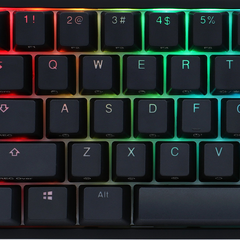
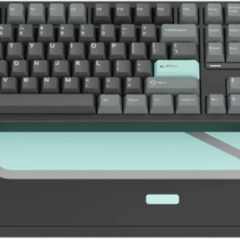
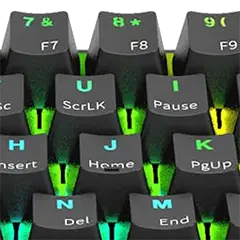
What is your favorite Corsair Vanguard Pro 96 hotkey? Do you have any useful tips for it? Let other users know below.
1147015 170
519889 8
419508 373
411061 6
329456 7
296513 38
24 minutes ago
3 hours ago
3 hours ago
23 hours ago
23 hours ago Updated!
23 hours ago
Latest articles
How to Turn Telegram Into Private Text Bridge
Guide: Razer Snap Tap (SOCD)
Google Graveyard is also dying
Keep these "nonsense" away from EV owners!
How to spot an AI-generated article