
|
|
Set bookmark |
||
|
|
Jump to bookmark |
||
|
|
Rotate |
||
|
|
Select all |
||
|
|
Undo |
||
|
|
Copy |
||
|
|
Rename |
||
|
|
Paste |
||
|
|
Cut |
||
|
|
Redo |
||
|
|
Delete |
||
|
|
Duplicate |
||
|
|
Pause |
||
|
|
Save all |
||
|
|
Full screen |
||
|
|
Open Console |
||
|
|
Next transform |
||
|
|
Scale |
||
|
|
Focus on selection |
||
|
|
Translate |
||
|
|
Open documentation |
||
|
|
Gameview |
||
|
|
Show navigation mesh |
||
|
Context menu |
|||
|
|
Hide selected object |
||
|
|
Find in Content Browser |
||
|
|
Possess or eject player |
||
|
|
Immersive mode |
||
|
|
Snap to floor |
||
|
|
Unhide all hidden objects |
||
|
|
Find in blueprint |
||
|
|
(click transform) Duplicate & transform |
||
|
|
Snap origin to grid |
||
|
|
Select all coplanar surfaces |
||
|
|
Wireframe view mode |
||
|
|
Play world |
||
|
|
Unlit view mode |
||
|
|
Lit view mode |
||
|
|
Front view |
||
|
|
Snap bounds to floor |
||
|
|
Select all adjacent wall surfaces |
||
|
|
Perspective view |
||
| + |
Movement (Standard) |
||
|
|
Movement (Maya) |
||
|
|
Select all adjacent surfaces |
||
|
|
Side view |
||
|
|
Placement |
||
|
|
Select all adjacent floor surfaces |
||
|
|
Paint |
||
| + |
Movement (Standard) |
||
|
|
Landscape |
||
|
|
Top view |
||
|
|
Grid size decrement |
||
|
|
Foliage |
||
|
|
Select all adjacent slant surfaces |
||
| + |
Measure tool (orthographic only) |
||
|
|
Grid size increment |
||
|
|
Snap pivot to floor |
||
|
|
Geometry editing |
||
Advertisement |
|||
|
|
Movement (Maya) |
||
|
+ |
Movement (Game-style) |
||
|
or
+ |
|||
|
or
+ |
|||
|
or
+ |
|||
|
or
+ |
|||
|
or
+ |
|||
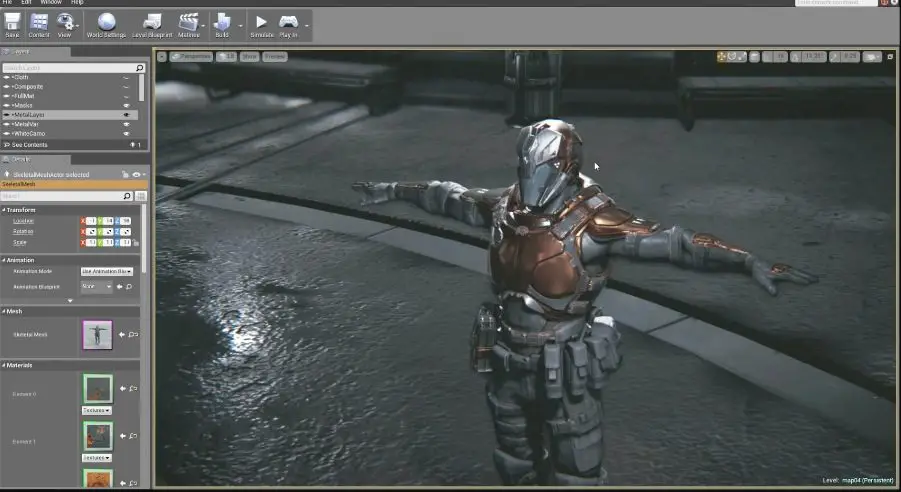
Unreal Engine keyboard shortcuts
Advertisement
Program information
Program name:

Unreal Engine is a game engine developed by Epic Games. It was first used in the 1998's shooter game Unreal. Unreal Engine provides a high level of portability and it is used by many game developers.
Web page: unrealengine.com/en-US/what-is...
Last update: 1/13/2020 6:08 AM UTC
How easy to press shortcuts: 86%
More information >>Featured shortcut
Similar programs



Tools
Unreal Engine:Learn: Jump to a random shortcut
Hardest shortcut of Unreal Engine
Other
What is your favorite Unreal Engine hotkey? Do you have any useful tips for it? Let other users know below.
1147129 170
519910 8
419532 373
411119 6
329496 7
296563 38
12 hours ago Updated!
12 hours ago
12 hours ago Updated!
12 hours ago Updated!
20 hours ago
20 hours ago Updated!
Latest articles
How to Turn Telegram Into Private Text Bridge
Guide: Razer Snap Tap (SOCD)
Google Graveyard is also dying
Keep these "nonsense" away from EV owners!
How to spot an AI-generated article